
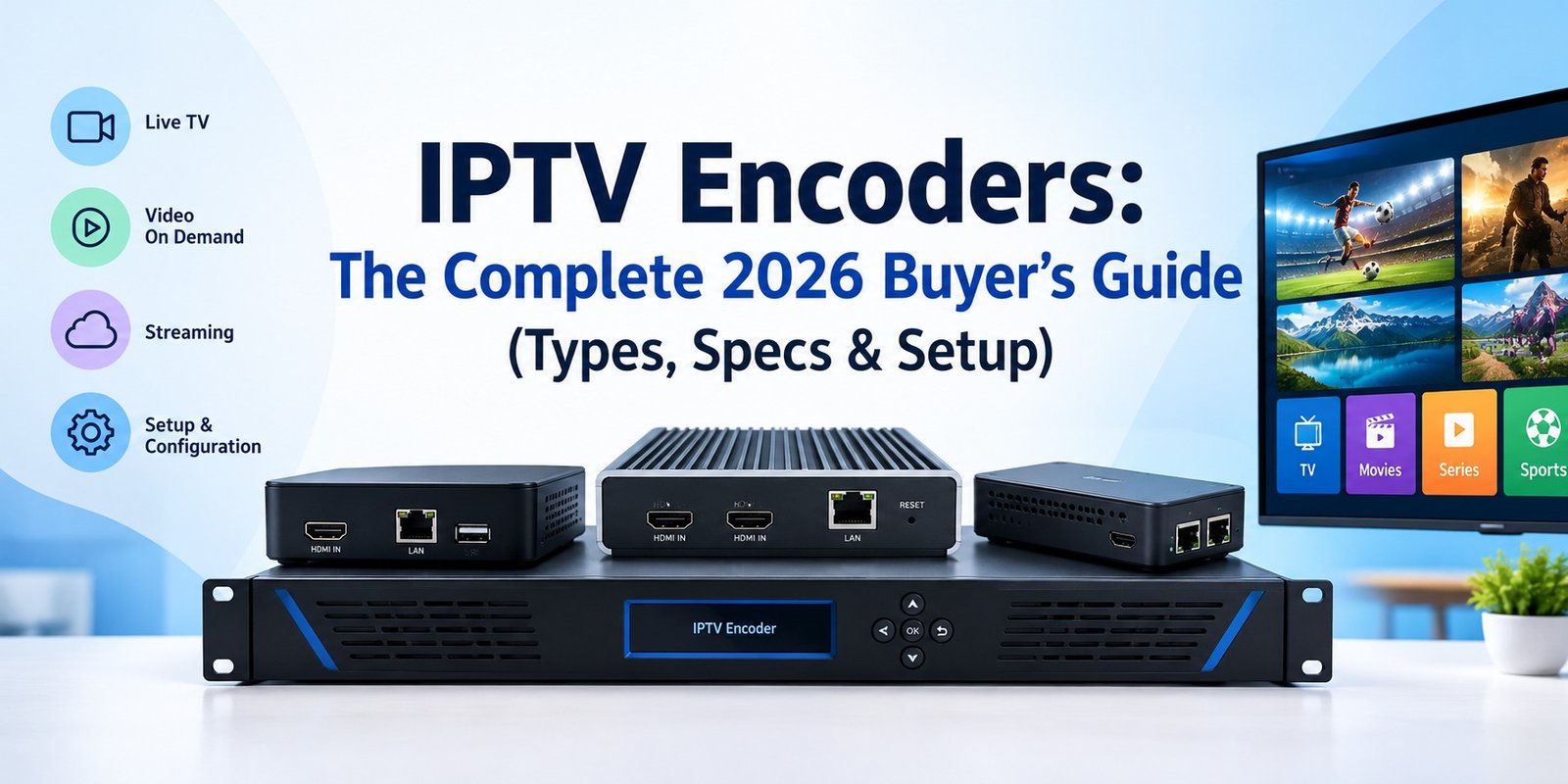
Quick answer: An IPTV encoder is the device (or software) that turns live video from a camera, set-top box, satellite receiver or capture card into a compressed IP stream your network can deliver to TVs, phones and set-top boxes. Pick the wrong one and you get buffering, drifting audio and dropped channels. Pick the right one and your headend runs quietly for years.
This guide breaks down how IPTV encoders work, the main types, the specs that actually matter, how to size your bandwidth, and a clear setup checklist. It is written for hotel and hospital IT teams, campus AV managers, houses of worship, sports venues, and anyone building a licensed IPTV headend.
What is an IPTV encoder?
An IPTV encoder takes a live audio/video source and compresses it into a digital stream that travels over an IP network instead of a traditional coaxial or satellite feed. The source can be HDMI, SDI, composite, component, an ASI feed, or an SDI-over-IP signal. The output is typically an H.264 (AVC), H.265 (HEVC) or increasingly AV1 stream wrapped in a transport format such as MPEG-TS, RTMP, SRT, RTSP or HLS.
Without an encoder, raw video is far too large to move across a standard network. Uncompressed 1080p60 video needs roughly 3 Gbps. An encoder shrinks that to a handful of megabits per second while keeping the picture watchable.
How an IPTV encoder works
Every IPTV encoder follows the same basic pipeline:
- Capture: The encoder ingests video and audio from a physical input (HDMI, SDI, analog) or a network source.
- Processing: It deinterlaces, scales, adjusts frame rate and syncs audio and video.
- Compression: A codec such as H.264 or H.265 compresses the video, and AAC, AC-3 or MP2 compresses audio.
- Packaging: The streams are wrapped in a container or protocol (for example MPEG-TS over UDP/RTP for multicast, or SRT/HLS for unicast and the open internet).
- Delivery: The stream goes to a middleware platform, media server, CDN or directly to set-top boxes and smart TVs.
Encoder vs. transcoder: what’s the difference?
People mix these up constantly. An encoder starts with a baseband or uncompressed signal. A transcoder starts with an already compressed stream and converts it to another codec, resolution or bitrate. Large IPTV systems often use both: encoders at the headend to ingest live sources, then transcoders to create adaptive bitrate (ABR) ladders for different screens.
Types of IPTV encoders
1. Hardware IPTV encoders
Purpose-built appliances with physical HDMI or SDI inputs. They are fanless or rack-mounted, boot into a stable state after power loss, and handle encoding on dedicated chips. They are the standard choice for 24/7 channel delivery in hotels, hospitals, campuses and stadiums.
- Best for: always-on channels, low latency, simple deployment.
- Watch out for: fixed channel counts and higher upfront cost per channel.
2. Software IPTV encoders
Applications that run on a server or workstation and use CPU, GPU or capture cards to encode. They are flexible, scriptable and easy to scale, but their reliability depends heavily on the host system.
- Best for: flexible workflows, events, small channel counts, labs and testing.
- Watch out for: OS updates, driver conflicts and CPU load at scale.
3. Multi-channel and rack encoders
Chassis or 1RU units that encode many channels at once, sometimes with built-in multiplexing, PID remapping and redundancy. These sit at the center of professional cable and hospitality headends.
4. Cloud encoders
Managed encoding services in the cloud. You send a contribution feed (often over SRT or RTMP), and the platform creates the output streams. This model removes hardware maintenance and scales fast, but ongoing usage fees add up and you depend on internet quality.
Codecs and streaming protocols explained
Video codecs
- H.264 / AVC: The universal baseline. Supported on virtually every set-top box, smart TV and phone.
- H.265 / HEVC: Delivers similar quality at roughly 30 to 50 percent lower bitrate. Ideal for 4K and bandwidth-limited links. Check device support and licensing before committing.
- AV1: Royalty-free and very efficient, but encoding is compute-heavy and hardware decoder support on legacy IPTV boxes is limited.
- MPEG-2: Legacy only. You will mostly encounter it when integrating older cable gear.
Streaming and transport protocols
| Protocol | Typical use | Latency | Notes |
|---|---|---|---|
| MPEG-TS over UDP/RTP (multicast) | LAN IPTV headends, hotels, campuses | Very low | Efficient delivery to many viewers; needs a multicast-capable network (IGMP) |
| SRT | Contribution over the public internet | Low | Packet-loss recovery and encryption; widely adopted |
| RTMP | Ingest to streaming platforms | Low to medium | Older but still common for ingest |
| RTSP | IP cameras, in-building video | Low | Common in surveillance and signage workflows |
| HLS / MPEG-DASH | Delivery to apps, browsers and OTT devices | Medium to high (lower with LL-HLS) | Supports adaptive bitrate and CDN scaling |
Key features to look for in an IPTV encoder
Spec sheets get long. These are the items that decide whether an encoder works well in production.
Inputs and outputs
Match the encoder to your sources. HDMI is common for set-top boxes and media players, while SDI is common in professional broadcast and venue AV. Check for loop-through, embedded audio, and HDCP handling. If your source is HDCP-protected, a standard encoder will not capture it, and that is by design.
Codec and resolution support
Confirm H.264 at minimum. If you plan 4K, or need to save bandwidth across sites, look for H.265. Also check frame rate support (1080p30 vs 1080p60) and whether multiple resolutions can be output simultaneously.
Protocol support
Make sure the encoder outputs what your middleware and players expect. For most IPTV systems that means MPEG-TS over UDP/RTP multicast plus SRT or HLS. Dual or simultaneous outputs save you from buying a second device.
Latency
Live sports and interactive events need low latency. Look for encoders with low-latency presets and check the real-world glass-to-glass delay, not just the marketing number.
Audio handling
Verify AAC, AC-3 and multi-language track support, plus audio delay adjustment for lip-sync fixes. Poor audio handling is one of the most common reasons viewers complain about an otherwise clean picture.
Reliability and redundancy
For 24/7 channels, look for watchdog timers, auto-reconnect, dual power supply options, hot-standby failover and remote monitoring via SNMP or an API. A fanless design reduces failure points and noise in equipment closets.
Management and integration
A clean web UI, REST API, and compatibility with middleware platforms save huge amounts of time when you manage dozens of channels. Check firmware update policies and vendor support.
Power and form factor
Options include desktop units, rack-mount chassis, and PoE-powered encoders for tight installs. Choose based on where the device will live.
Hardware vs. software vs. cloud IPTV encoders
| Factor | Hardware encoder | Software encoder | Cloud encoder |
|---|---|---|---|
| Reliability for 24/7 use | Excellent | Depends on host server | Excellent (provider SLA) |
| Latency | Very low | Low to medium | Medium |
| Upfront cost | Higher | Lower | Lowest |
| Ongoing cost | Low | Low | Usage-based, can grow |
| Scalability | Add more units | Add more servers or cards | Instant |
| Physical inputs (HDMI/SDI) | Built in | Needs capture cards | None (needs a feed sent to it) |
| Best for | Hotels, campuses, venues | Events, labs, flexible setups | Remote and multi-site streaming |
How much bandwidth do you need?
Bandwidth planning is where many IPTV projects go wrong. These are practical starting points for encoder output, not guarantees, because content type and encoder quality change the numbers:
| Resolution | H.264 (approx.) | H.265 (approx.) |
|---|---|---|
| 720p30 | 2.5 to 4 Mbps | 1.5 to 2.5 Mbps |
| 1080p30 | 4 to 6 Mbps | 2.5 to 4 Mbps |
| 1080p60 | 6 to 9 Mbps | 4 to 6 Mbps |
| 4K30 | Not recommended | 12 to 20 Mbps |
Simple sizing formula: number of channels x bitrate per channel x 1.25 (overhead headroom). For example, 40 channels at 6 Mbps need about 300 Mbps of network capacity on the segment carrying all of them. With multicast, the load on the core network stays the same no matter how many viewers watch the same channel. With unicast, it grows with every viewer.
Popular IPTV encoder options
The market includes dedicated IPTV headend vendors and broader streaming encoder makers. Here are well-known names to research. Always verify current specs, firmware support and pricing directly with the manufacturer, since models change often.
- Kiloview: Wide range of HDMI and SDI encoders, including multi-protocol and NDI-capable units popular in venues and IPTV projects.
- Magewell: Known for reliable HDMI and SDI encoders with strong protocol support and a straightforward interface.
- AJA: Compact, professional-grade encoders (such as the HELO family) trusted in broadcast and AV environments.
- Haivision: Enterprise-focused encoders with a strong low-latency and SRT heritage.
- Matrox: Encoders and recorders used in corporate, education and live-event workflows.
- Teradek: Widely used in live production and field contribution.
- Multi-channel headend vendors (e.g., Harmonic, ATEME): Large-scale solutions for operators and service providers.
Note: Evaluate any encoder against your input types, channel count, codec needs and management requirements. A cheaper unit that lacks the right protocol or redundancy can cost far more in troubleshooting time.
Step-by-step: setting up an IPTV encoder
- Define the channel plan. List every source, the required resolution, codec, and which devices will watch each channel.
- Choose the delivery model. Multicast for in-building LAN distribution, unicast or HLS for apps and remote viewers, SRT for sending feeds across the internet.
- Connect the source. Use the correct HDMI or SDI cable, and confirm the source is not HDCP-restricted. Set the source device to a fixed output resolution.
- Configure encoding settings. Set codec, resolution, frame rate, bitrate mode (CBR is preferred for multicast IPTV) and audio format. Keep settings consistent across channels when possible.
- Set the output. Enter the multicast address and port (or the SRT/RTMP/HLS target). Document each channel’s address in a spreadsheet to avoid conflicts.
- Prepare the network. Enable IGMP snooping and a querier on your switches, confirm QoS settings, and verify that your switches handle the aggregate multicast load.
- Test playback. Verify on a variety of target devices: set-top box, smart TV, mobile and VLC. Check lip-sync, channel zap time and behavior over a long soak test.
- Add monitoring and redundancy. Turn on alerts, enable watchdog and auto-restart, and plan a backup encoder for critical channels.
- Document and back up. Export configurations and store firmware versions so you can restore quickly after a failure.
Common mistakes to avoid
- Ignoring HDCP. Protected sources will show black or blocked video. Plan the source side properly.
- Skipping network prep. Multicast without IGMP snooping can flood every port and bring the network to its knees.
- Using VBR for multicast. Variable bitrate spikes can cause packet loss on constrained links. CBR or capped VBR is safer.
- Underestimating audio. Mismatched audio formats and missing language tracks are top viewer complaints.
- No failover plan. A single encoder is a single point of failure for any channel that matters.
- Buying on price alone. Consider support, firmware updates and total cost of ownership.
- Distributing content without rights. Encoders are legitimate tools, but only stream content you own or are licensed to distribute.
Final thoughts: choosing the right IPTV encoder
The best IPTV encoder is the one that fits your sources, channel count, network and uptime requirements. Start with your channel plan, decide between multicast and unicast delivery, then shortlist encoders that natively support the codecs, protocols and inputs you need. Prioritize reliability, low latency and manageability over flashy spec-sheet numbers, and always plan for redundancy on your most important channels.
Get the encoder layer right, and everything downstream, from middleware to set-top boxes, gets simpler. Explore more IPTV setup guides, headend tips and troubleshooting walkthroughs on IPTV Forces.
Frequently asked questions about IPTV encoders
What is an IPTV encoder?
An IPTV encoder is a hardware device or software application that converts live video and audio from sources like cameras, satellite receivers, cable boxes or HDMI/SDI feeds into compressed digital streams (H.264, H.265/HEVC or AV1) that can be delivered over an IP network to TVs, set-top boxes, phones and web players.
What is the difference between an IPTV encoder and a transcoder?
An encoder takes an uncompressed or baseband source (HDMI, SDI, analog) and compresses it for IP delivery. A transcoder takes an already compressed stream, such as an incoming MPEG-TS or HLS feed, and converts it to a different codec, resolution or bitrate.
Which is better for IPTV: H.264 or H.265?
H.265 typically needs about 30 to 50 percent less bitrate than H.264 at similar quality, which saves bandwidth, but H.264 has near-universal device compatibility. Many operators run H.264 for compatibility and H.265 for 4K or bandwidth-constrained links.
Do I need a hardware IPTV encoder or is software enough?
Software encoders suit flexible, low-channel-count or cloud workflows. Dedicated hardware encoders are better for 24/7 reliability, low latency, multiple physical inputs (HDMI, SDI) and fanless, rack-mounted deployments.
How much bandwidth does an IPTV stream need?
As a rule of thumb, a 1080p30 H.264 channel runs around 4 to 6 Mbps, 1080p60 around 6 to 9 Mbps, and a 4K HEVC channel around 15 to 25 Mbps. Always add 20 to 30 percent headroom for network overhead.
Can I use an IPTV encoder with any content?
Only encode and distribute content you own or are licensed to distribute. Encoders are legitimate broadcast tools, but redistributing copyrighted channels without rights is illegal.

No Responses